PRO feature
Add Video to Your WooCommerce Product Gallery
VideographyWP adds product videos inside the WooCommerce product gallery — right next to your product images, without replacing your gallery. Import from YouTube, Vimeo or Dailymotion, choose where the video sits, and let shoppers play it inline.
30-day money-back guarantee · WooCommerce product gallery video is a PRO feature
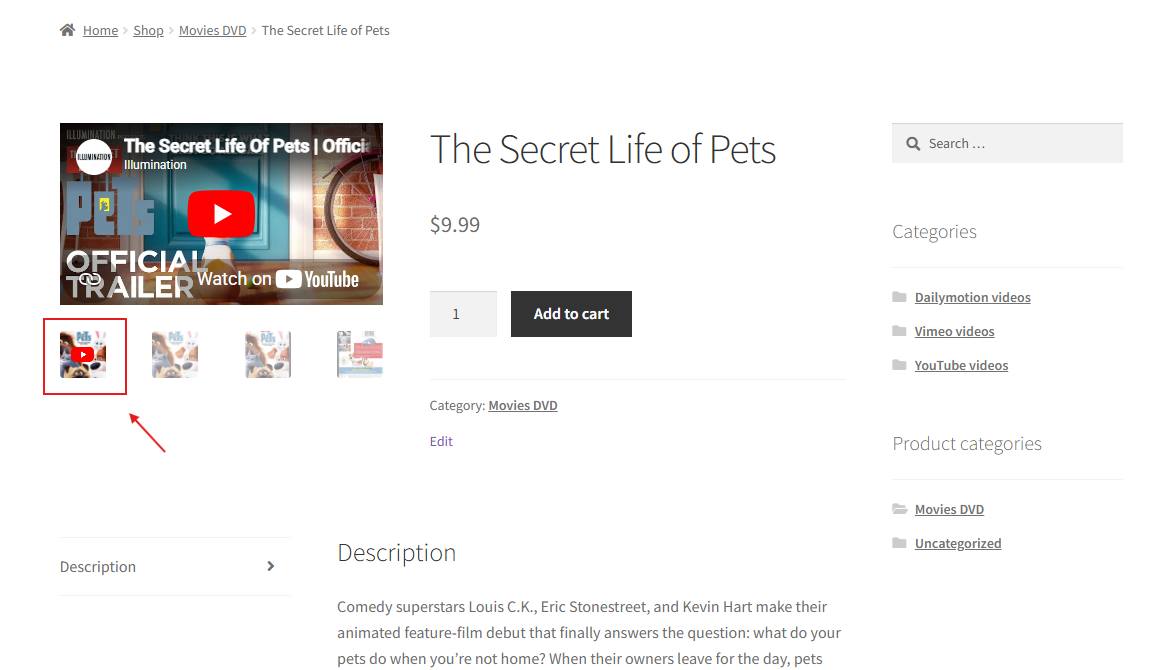
Inside the gallery, not instead of it
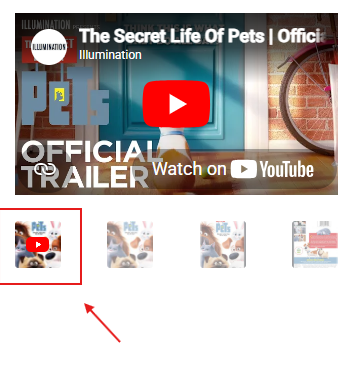
Most “product video” solutions drop a video below the description or replace your gallery entirely. VideographyWP hooks into the native WooCommerce gallery and adds the video as a gallery item — your existing images, zoom and lightbox keep working exactly as before. The video appears as a thumbnail in the gallery strip and plays in place when a shopper selects it.
Because it works through the standard WooCommerce gallery hooks, it runs out-of-the-box on any theme that uses the default WooCommerce product gallery — and ships dedicated compatibility for premium themes that build their own gallery slider.
Any video source
YouTube
Standard videos, Shorts and playlists. Available in the free plugin too.
Vimeo
Public videos and private videos via a personal access token. PRO only.
Dailymotion
Embed Dailymotion videos in the gallery. PRO only.
Full control over the product video
Every product video is configured right in the product editor — no code, no shortcodes. Follow the step-by-step guide to adding a video to the WooCommerce product gallery.
Choose the position
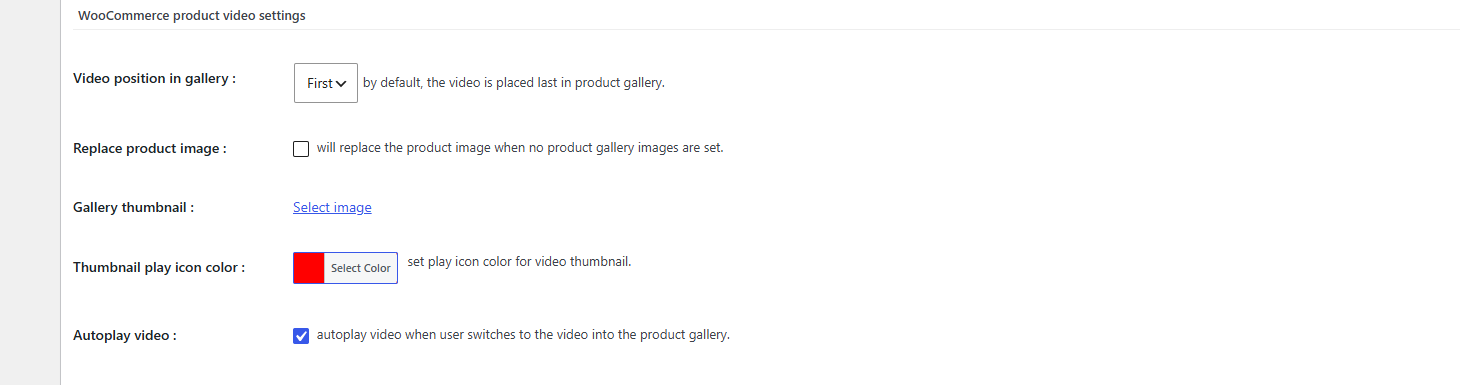
Set the video first or last in the gallery. By default it sits last.
Replace the product image
When a product has no gallery images, the video can take the place of the main product image.
Custom thumbnail & play icon
Set your own gallery thumbnail image and pick the play-icon colour to match your brand.
Autoplay on switch
The video starts playing the moment a shopper switches to it in the gallery.
Product variations
Show the right video for the selected product variation.
Built for speed
Optimised, lazy-loaded embeds keep product pages fast and Core Web Vitals healthy.
Works with 20+ premium WooCommerce themes
Out-of-the-box on any theme that uses the default WooCommerce gallery. For themes that ship their own gallery slider, VideographyWP includes purpose-built compatibility so the video drops into the gallery correctly:
It also handles popular gallery plugins — WooSwipe and YITH WooCommerce Zoom Magnifier. Read more about theme compatibility, or see all compatible themes →
Free vs PRO
VideographyWP (free)
- YouTube featured video on posts & pages
- Auto-fill title, content & featured image
- Block & Classic editor
- Not available on WooCommerce products
VideographyWP PRO
- Video in the WooCommerce product gallery
- Vimeo (incl. private) & Dailymotion sources
- Position, replace image, custom thumbnail, autoplay
- 20+ premium theme compatibilities
Frequently asked questions
How do I add a video to a WooCommerce product gallery?
Install VideographyWP PRO, edit a product, paste a YouTube, Vimeo or Dailymotion URL in the video box, and the video is added to the product gallery automatically. You can then choose its position and thumbnail.
Does it replace the WooCommerce product gallery?
No. The video is added inside the existing gallery as a gallery item — your images, zoom and lightbox keep working.
Can I add a YouTube video to the product gallery?
Yes. YouTube, Vimeo and Dailymotion are all supported in the product gallery with VideographyWP PRO.
Can I embed private Vimeo videos?
Yes — PRO supports private Vimeo videos using a personal access token. See the guide to embedding private Vimeo videos for the setup steps.
Which themes are supported?
Any theme using the default WooCommerce gallery works out-of-the-box, plus 20+ premium themes (Flatsome, Woodmart, Avada, Riode and more) have dedicated compatibility.
Is the WooCommerce gallery video available in the free version?
No. The free plugin adds YouTube featured video to posts and pages. Video in the WooCommerce product gallery is a PRO feature.
Start adding product videos today
Boost your WooCommerce store with product videos. Try it risk-free with our 30-day money-back guarantee.