WordPress & WooCommerce video
The WordPress video plugin for posts & WooCommerce
Import videos from YouTube, Vimeo and Dailymotion, set them as featured video on any post type, and add them straight into the WooCommerce product gallery — without replacing it.
Most popular
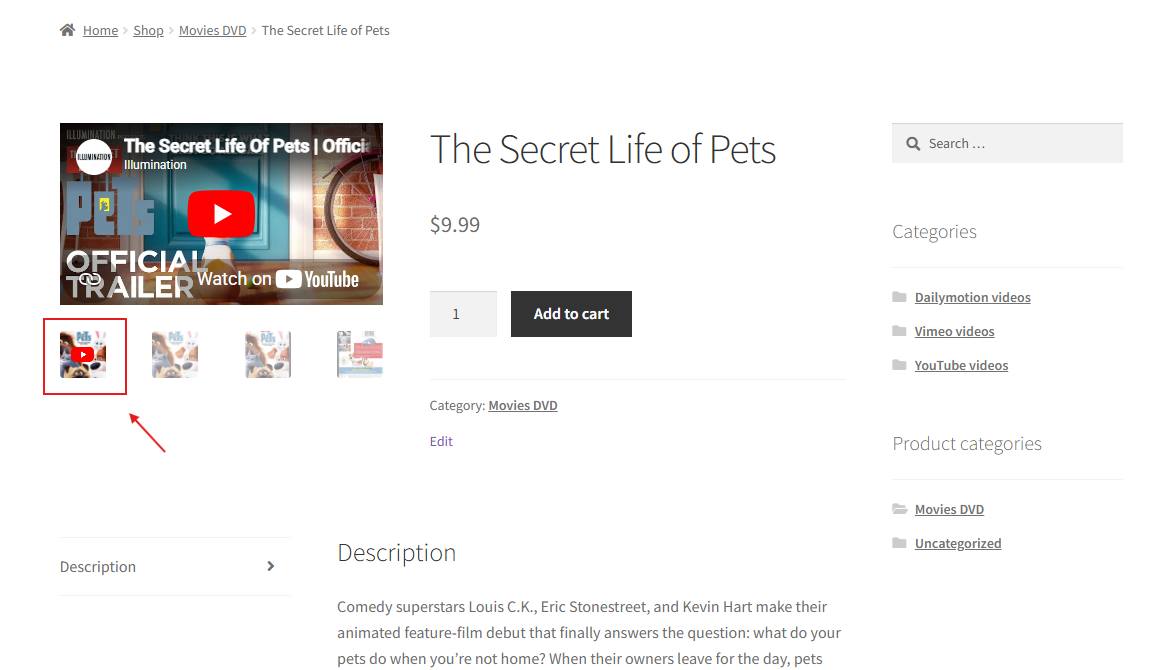
Video in the WooCommerce product gallery
Add a product video next to your images and let shoppers play it inline. It works out-of-the-box with the standard WooCommerce gallery and ships dedicated compatibility for 20+ premium themes. Choose the position, set a custom thumbnail, enable autoplay — all without touching code.
From video to storefront in three steps
No shortcodes, no theme edits. Add a video and choose where it appears.
1. Import
Paste a YouTube, Vimeo or Dailymotion URL. VideographyWP pulls in the title, description, thumbnail and date automatically.
2. Place
Set it as the post’s featured video or drop it into the WooCommerce product gallery — pick the position, thumbnail and autoplay.
3. Play
Visitors play the video inline, in the gallery or in a lightbox. It just works with your theme.
Everything you need for video
WordPress featured video
Replace the featured image with a video on any post type.
YouTube video importer
Import title, description, image and date from the URL.
Elementor video widget
Output videos in Elementor designs and templates.
Video lightbox
Open videos in a lightbox with the video button.
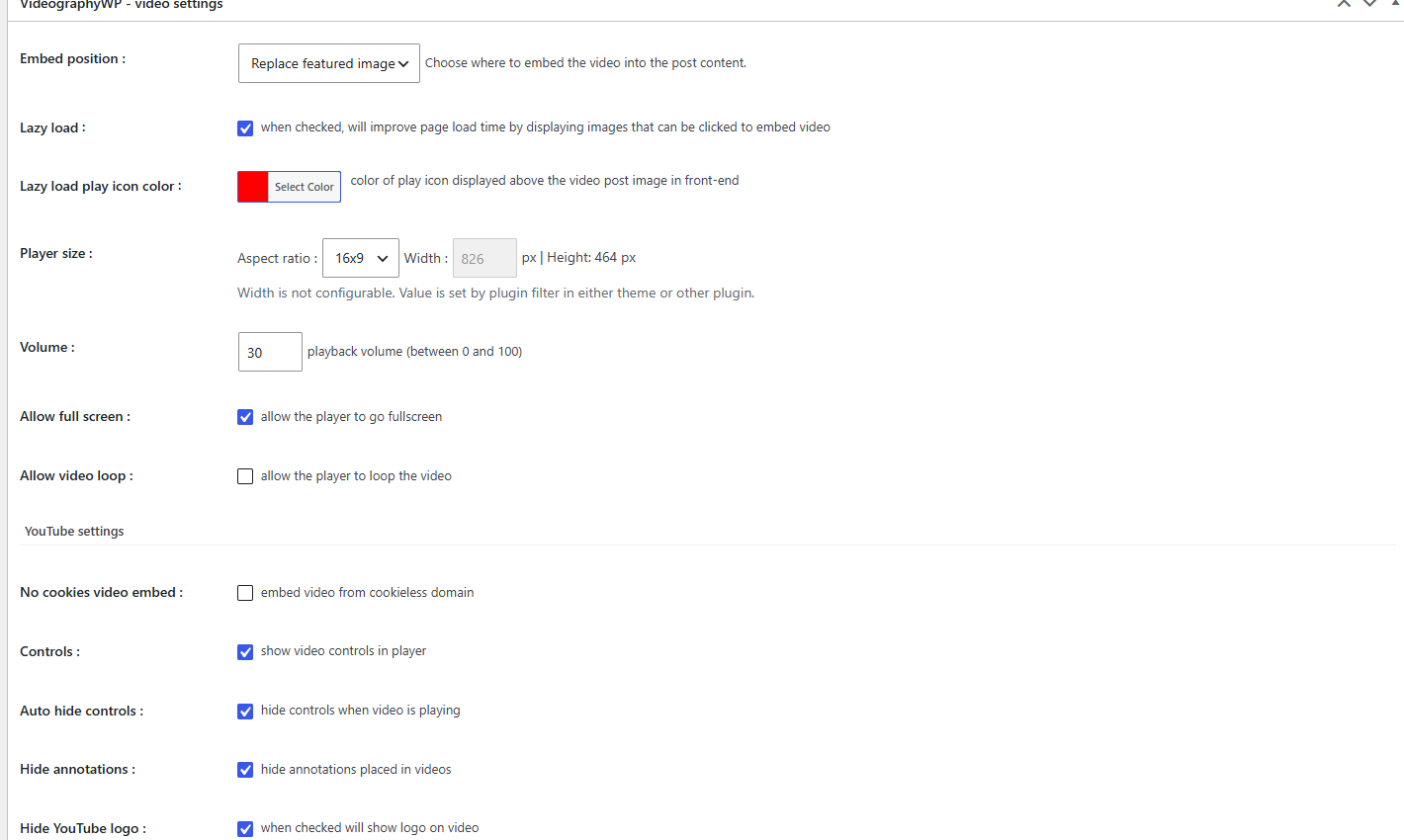
Set up a video right in the editor
Everything lives inside the post editor — no separate builder to learn.
Works with your theme
Out-of-the-box on the default WooCommerce gallery, plus dedicated compatibility for premium themes.
Frequently asked questions
Do I need PRO for WooCommerce product video?
Yes. The free plugin adds YouTube featured video to posts and pages. Video inside the WooCommerce product gallery is a PRO feature.
Which video sources are supported?
YouTube in the free version; Vimeo and Dailymotion are added in PRO. The title, description, thumbnail and date are imported straight from the URL.
Will it work with my theme?
It works out of the box with the standard WooCommerce gallery and ships dedicated compatibility for 20+ premium themes. See supported themes.
Does the video replace my product images?
No. The video is added to the gallery — you choose its position and whether to show a custom thumbnail with a play icon.
Is there a money-back guarantee?
Yes — a 30-day, no-questions-asked money-back guarantee on all PRO plans. See pricing.
Start free, upgrade when you need WooCommerce
The free plugin adds YouTube featured video to posts and pages. PRO unlocks the WooCommerce product gallery, Vimeo & Dailymotion, and 20+ theme compatibilities — with a 30-day money-back guarantee.