Docs /
Embed private Vimeo videos using a personal access token
Show private or domain-restricted Vimeo videos in WordPress and the WooCommerce product gallery using a Vimeo personal access token.
Private Vimeo videos cannot be embedded from the URL alone — Vimeo has to authorise the request. VideographyWP PRO uses a Vimeo personal access token to do that, so your private videos embed like any other.
Create a Vimeo access token
- Go to developer.vimeo.com/apps and create an app (any name and description).
- Open the app’s Authentication section.
- Generate a personal access token with the scopes needed to read your videos (at least
publicandprivate). - Copy the token — Vimeo shows it only once.
Add the token to WordPress
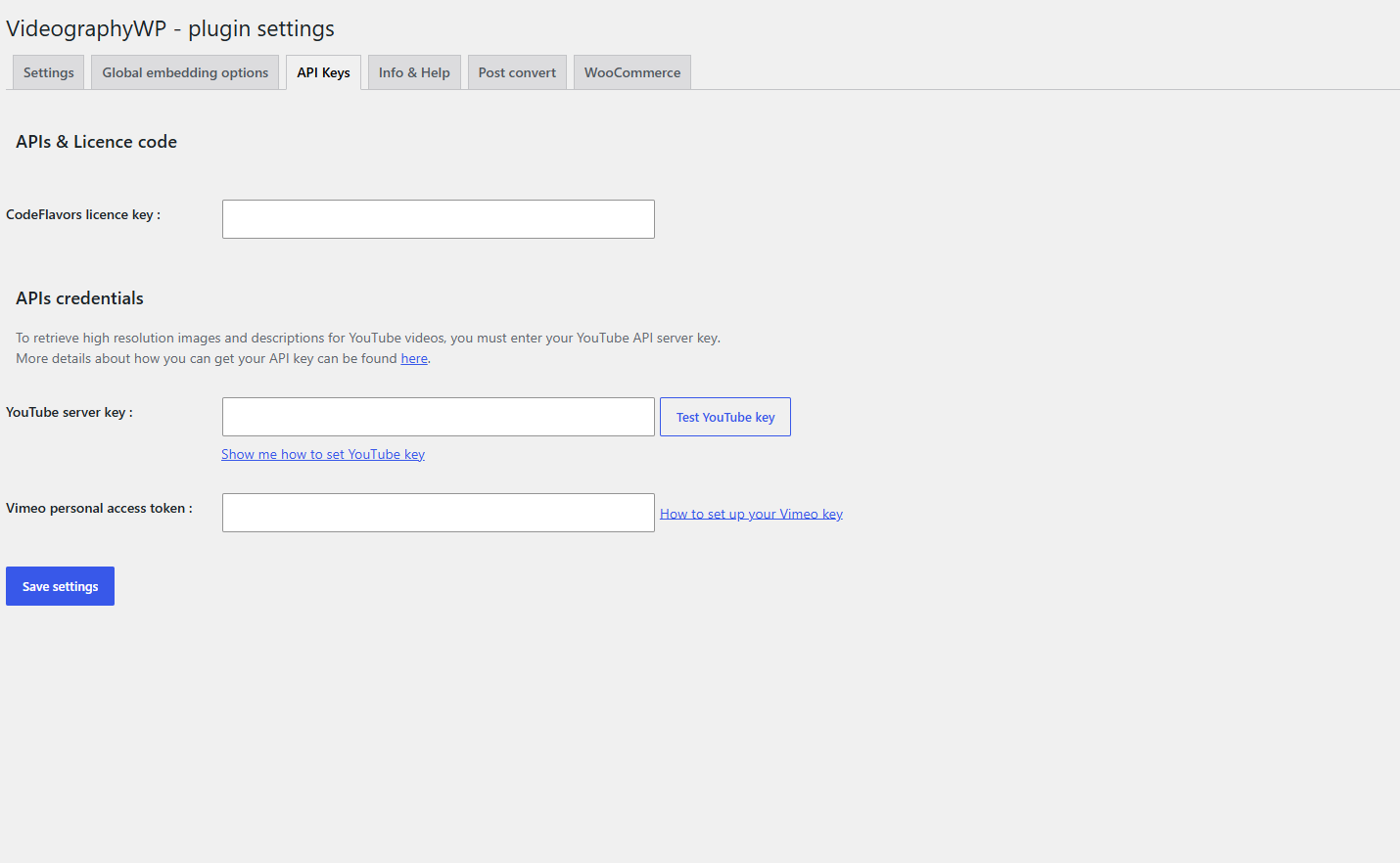
- Open Settings → VideographyWP → API Keys.
- Paste the token into Vimeo personal access token and save.
Embed the private video
- Edit a post, page or product and paste the private Vimeo URL in the VideographyWP box.
- Query it — the token authorises the request and the video embeds correctly.
Note: in the video’s Vimeo privacy settings, make sure embedding is allowed and, for domain-restricted videos, that your site’s domain is on the allow-list.