Docs /
Plugin settings
A field-by-field tour of Settings → VideographyWP: which post types get video, how embedding behaves, and where the API keys and WooCommerce options live.
Open Settings → VideographyWP. The options are organised into six tabs: Settings, Global embedding options, API Keys, Info & Help, Post convert and WooCommerce.
Settings tab
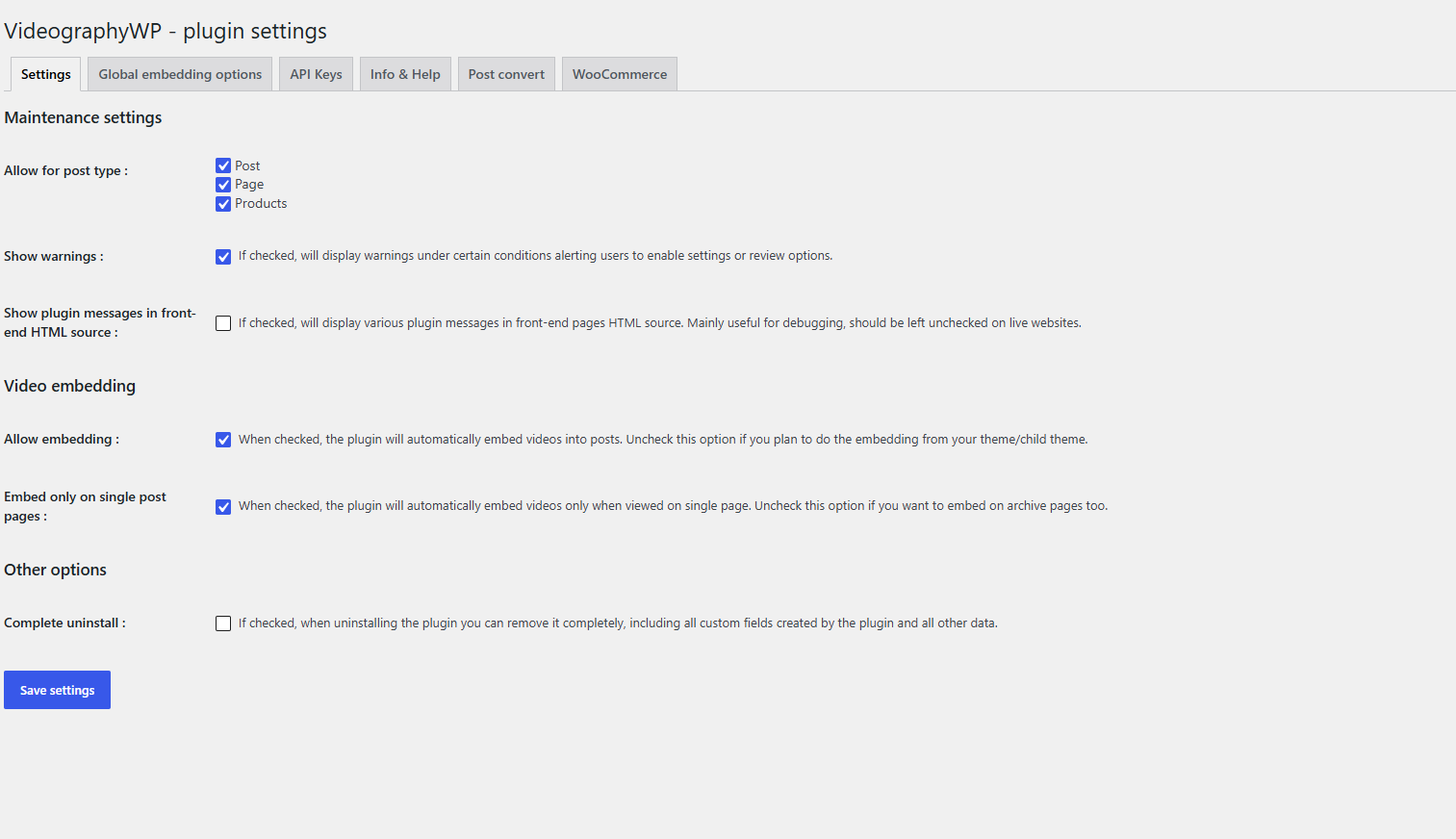
Maintenance settings
- Allow for post type — enable video support for Post, Page and Products (all on by default).
- Show warnings — display admin notices when a setting needs your attention.
- Show plugin messages in front-end HTML source — debug output in the page source; leave this off on live sites.
Video embedding
- Allow embedding — the plugin embeds videos into posts automatically. Uncheck it only if you embed from your theme/child theme.
- Embed only on single post pages — embed on single views only; uncheck to also embed on archive pages.
Other options
- Complete uninstall — when enabled, uninstalling the plugin also removes all its custom fields and data.
The other tabs
- Global embedding options — force one look (position, lazy load, width, volume, fullscreen, loop, play-icon colour) across every video.
- API Keys — CodeFlavors licence key, YouTube server key and Vimeo access token.
- Info & Help — supported platforms, theme-compatibility notes and links to guides.
- Post convert — turn existing video posts into VideographyWP posts: enter the name of the custom field that stores the video URL and click Start conversion.
- WooCommerce — product-gallery play-icon colour and the list of compatible themes.