Feature
WordPress featured video
Replace the featured image with a video on any WordPress post type — automatically.
Show a video instead of the featured image
VideographyWP can set a video as the featured media for a post, page or custom post type. Import a YouTube, Vimeo or Dailymotion video and the plugin can replace the featured image with the video wherever the featured image is displayed — in the post, in archives and in Elementor templates.
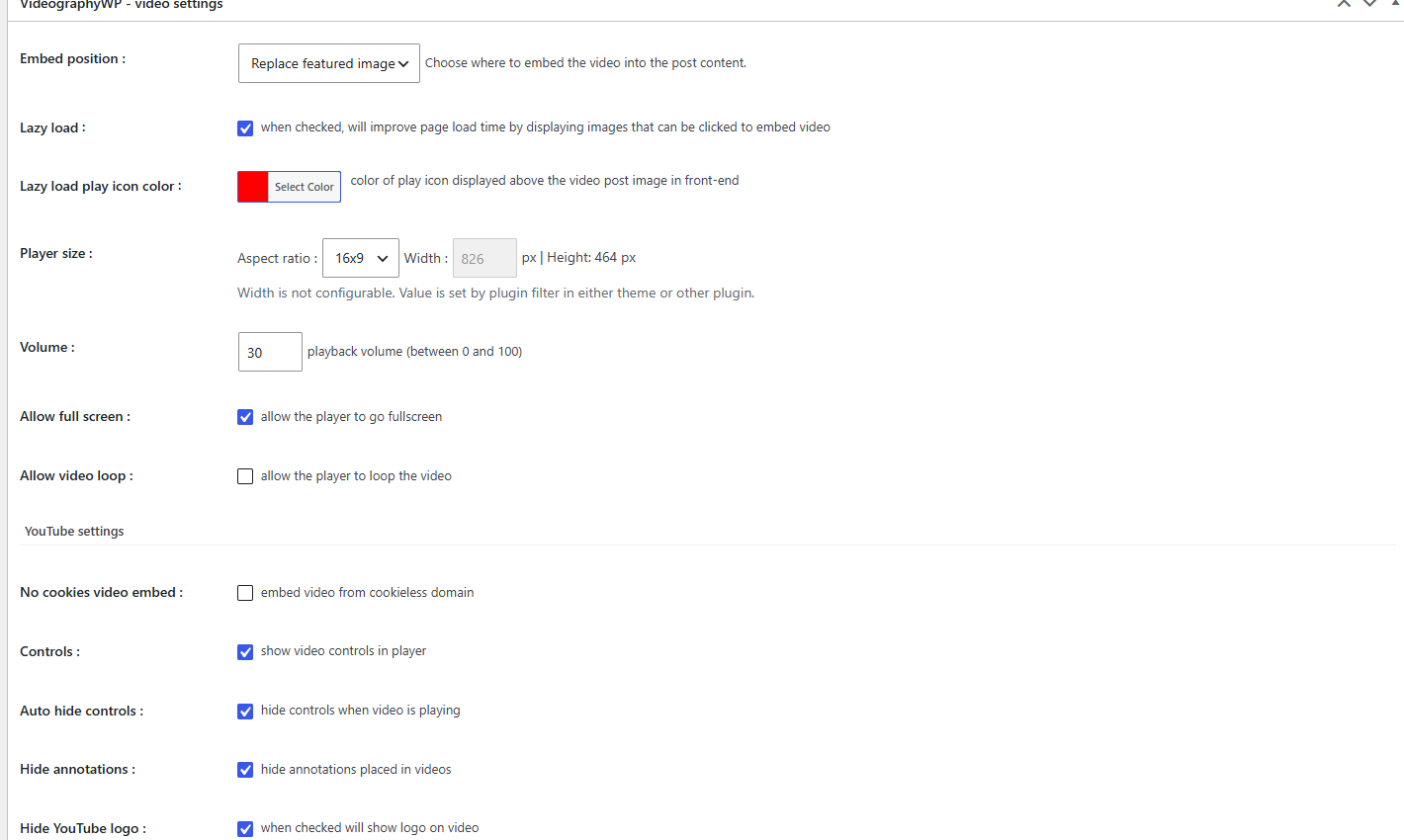
How it works
- Edit a post and paste the video URL in the VideographyWP box.
- Choose to import the featured image and enable featured-video replacement.
- The video now plays where your theme shows the featured image.
Available on all public post types (you can enable it per post type in the settings).
See also YouTube video importer and Elementor video templates.
Where your featured video appears
Single posts & pages
The video takes the place of the featured image at the top of the post, exactly where your theme renders it.
Archives & blog lists
Featured-video posts stand out in blog, category and archive listings so visitors know there is something to watch.
Elementor templates
In single templates the featured image is swapped for the video automatically, with no per-post work.
Any post type
Enable it for posts, pages and custom post types from the settings — one switch per post type.
Full control over the video
Fine-tune how the featured video imports and plays, per post.
Auto-import details
Pull the title, description, thumbnail and publish date straight from the video URL.
Player options
Autoplay, mute, loop, show or hide controls, and use YouTube’s privacy (no-cookie) mode.
Lazy load
Load the player only when needed to keep pages fast and Core Web Vitals happy.
Clean embeds
Hide annotations and the YouTube logo for a tidy, on-brand video.
Works in your editor
Block editor
A VideographyWP video panel on every post, page and product in Gutenberg — paste a URL and go.
Classic editor
The same controls in a meta box if you still run the Classic editor.
WordPress featured video FAQ
Does it really replace the featured image?
Yes. Wherever your theme shows the featured image — single posts, archives, Elementor templates — VideographyWP can display the video instead.
Which post types are supported?
Posts, pages and any public custom post type. You turn it on per post type in the settings.
Is a featured image still set?
Yes. The imported thumbnail is saved as the featured image, so lists and social previews still have an image, while visitors get the video on the post.
Do I need PRO for this?
YouTube featured video is free. PRO adds Vimeo and Dailymotion as sources, the Elementor widget, and video in the WooCommerce product gallery.
Will it slow down my site?
No — enable lazy load and the player only loads when it is needed.